


 Activate my SIM
 SIM Plan
 2-year warranty
 Contact
 My Account
SeTracker: problems, alternatives, and the app that comes with the watch
Store ratings, the most repeated problems and dated security flaws: where SeTracker stands, why a watch cannot change app, and what our app does.

In this guide
The short version
- SeTracker and SeTracker2 are the generic apps shipped with most kids GPS watches, across all brands.
- Their public ratings on 25/11/2026: 3.0/5 on Google Play for SeTracker2 (96,992 reviews) and 2.89/5 for SeTracker (84,970), each with more than 10 million downloads.
- The eight most repeated problems come down to three things: the watch stays “offline”, the registration code is refused, and logging in fails.
- On 8 August 2026, at DEF CON 34, two researchers presented 45 flaws on a server shared by 39 brands and 46 apps, with data hosted in China.
- A SeTracker watch almost never changes app: the choice is made before you buy. Our models from age 8 run on our own app.
What parents are looking for when they type “SeTracker”
The searches are almost never about the app itself: they are about one specific blockage at one specific moment. Here are the eight situations that come up most often, in parents' own words.
- “The watch is offline even though it has signal” — the SIM makes calls, but the app shows the device as disconnected. Most often the cause is the network's APN, the chosen server region, a PIN on the SIM, or a 2G-only connection.
- “What is the regcode?” — the registration code on the back of the watch is refused, or the app answers “device already paired” or “waiting for authorisation”.
- “After a month I cannot log in” — logged out after an update, login timed out, password impossible to recover because no email address was registered.
- Wrong or frozen position — a pin several streets away, sometimes kilometres, refreshed every ten to fifteen minutes instead of in real time.
- Ads in an app that came with a watch you paid for — the complaint cited most often in reviews, frequently alongside a paid option to remove them.
- Notifications, photos and voice messages late — or never delivered, which hollows out the SOS button.
- No reachable support — emails unanswered, no phone number, and a retailer pointing back at the manufacturer.
- Doubt about the data — where it sits, who publishes the app, and what the security reports published since 2017 say.
What the app store ratings say
These figures are public and checkable: we read them on 25 November 2026 on the Google Play and App Store listings. They do not say the app does not work — more than half the ratings are positive — but they do show a share of one-star ratings that is highly unusual for an app shipped with a paid product.
| App | Google Play rating | Reviews | Share of 1 star | Downloads |
|---|---|---|---|---|
| SeTracker2 (com.tgelec.setracker) | 3.01 / 5 | 96,992 | 34% | more than 10 million |
| SeTracker (org.zywx…uexaaagg10003) | 2.89 / 5 | 84,970 | 32% | more than 10 million |
| Smart Watches — Parents (io.smartwatches.parents) | no rating yet | 0 | not applicable | listing published, updated 21/11/2026 |
On the App Store, ratings are counted country by country: SeTracker2 stands at 2.96/5 in the United Kingdom (728 reviews), 2.94 in France, 2.82 in Germany, 2.84 in Spain and 2.56 in the Netherlands. Both apps are still being updated — Google Play on 11/11/2026 — so they are not abandoned. And our own listing has no rating at all: we cannot compare scores, only explain what we do differently. One point can be checked in a second, though: the Google Play listing for SeTracker2 carries the “Contains ads” label, ours does not.
The published security flaws, with their sources
This is not a forum rumour: four independent pieces of work have been published over nine years on the platform these apps run on. We list them with their date and source, with no commentary added.
- October 2017 — the Norwegian Consumer Council and the firm mnemonic test a watch driven by SeTracker: remote control, listening in, position spoofing, no encryption (The Register).
- November 2019 — AV-TEST reports the data of 5,000 children and 10,000 parent accounts left exposed: names, photos, positions, voice messages (iot-tests.org).
- 2020 — Pen Test Partners takes control of the SETracker platform: locate, listen, trigger an alert (Pen Test Partners).
- 8 August 2026, DEF CON 34 — Felipe Solferini and Vangelis Stykas present 45 flaws on a server shared by 39 brands and 46 apps; around 10 million SETracker watches are affected, the data sits on a Chinese cloud, and the flaw was still exploitable on 6 August 2026 (notebookcheck).
The researchers' advice is simple and any parent can act on it: look at the package prefix of the installed app, and delete the account once the watch is no longer used. We repeat it here because it also applies to our own customers with a 5-8 model: those three watches run on SeTracker2, the generic app, and we write that on each product page rather than hiding it.
Why a SeTracker watch cannot change app
This is the objection we read most often, and the honest answer is not the one comparison sites give. A kids GPS watch is not a phone: it is paired with exactly one app, and that pairing is written into its internal software. The address of the server the watch talks to is set in the factory, and only a command from that server can change it. Installing a different app on your phone therefore does not move the watch: it keeps talking to the same server.
From which follows the only useful conclusion: the app is chosen before the watch is bought, not after. That is why we do not offer “our app on your SeTracker watch” as a general solution. On our compatible models the app is our own, written by us, and the watch ships already paired. The three models for ages 5 to 8 stay on SeTracker2, which is included with the watch whichever option you choose.
What our app does, and what it costs
The Smart Watches parent app is published by ByteBerry Analytics OÜ, and service data is held in the European Union. It works with SmartWatch Horizon, SmartWatch Vision, SmartWatch Explorer Pro, SmartWatch Ultra and SmartWatch Genius; SmartWatch Junior, SmartWatch KidLink and SmartWatch Mini are managed with SeTracker2, which is included with the watch. Here is what it does, as the app listing describes it:
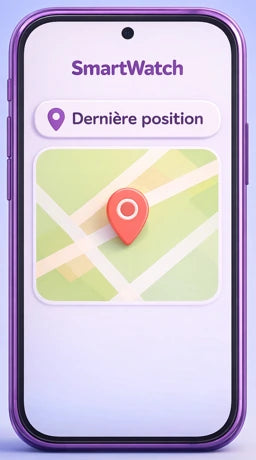
- Live location — the map refreshes on its own, and you can see where the pin comes from (satellites, Wi-Fi or a cell tower), how long ago, and its confidence radius.
- SOS — the alert screen opens on your phone with the position; you call the watch in one gesture and mark the alert as handled for the other parent.
- Zones — entries and exits are reported, an exit being confirmed after two positions outside the zone to avoid false alerts.
- Class mode — silent during lesson hours, SOS button still live.
- Messages — with a read receipt from the watch, so you know they arrived.
- Contacts — up to fifteen contacts and three SOS numbers, chosen by the parent.
- History — the day's route, kept for 90 days; voice messages are kept for 30 days.
- Everyday things — ring the watch, rewards, alarms, activity, low-battery and lost-network alerts.
- Several children — every watch in the family in a single app, with no account to create for the child.
It downloads from Google Play and the App Store, and also opens in a browser at gw.smart-watches.io, on iPhone, iPad or a computer. The the Smart Watches parent app page shows the screens and the demos.
On price we would rather be precise than generous with words: the app is included for 3 months with every watch, then costs €4.99 a month or €49.99 a year; it comes at no extra cost for as long as the Smart Watches Max plan is active, but that plan exists in France only. There are no ads in the app. For the rest of the range and the prices, see our eight kids smartwatches; our figures are gathered on our figures and commitments.
Frequently asked questions
Why is my watch “offline” when it has signal?
Because having signal and reaching the server are two different things. The watch needs active mobile data, the right APN for your network, no PIN on the SIM, and the right server region set in the app. If any of those four is missing, the watch makes calls but does not show as online. Our guide to the SIM card for a kids smartwatch covers activation.
Where is a watch's registration code?
It is printed on the back of the watch or on the box, and matches its IMEI number. If it is refused, the watch is usually already paired with another account and has to be released from it first. That is one of the three most frequent blockages in store reviews.
Is SeTracker dangerous?
We cannot answer yes or no, and nobody should do it in our place. What can be said with sources: four independent pieces of work documented flaws in the platform between 2017 and August 2026, including 45 flaws presented at DEF CON 34 on 8 August 2026 on a server shared by 39 brands, with data hosted in China. The researchers' advice is to delete the account once the watch is no longer used.
Can your app be installed on another brand's watch?
Not as a general solution. A kids watch is paired with its manufacturer's app, and the address of its server is set in the factory. That is why we sell the watch and the app together, and why we recommend choosing the app before the watch.
Do your watches use SeTracker?
Three of them do, and we say so: SmartWatch Junior, SmartWatch KidLink and SmartWatch Mini are managed with SeTracker2, which is included with the watch and does the essentials well at that age. The other five — SmartWatch Horizon, SmartWatch Vision, SmartWatch Explorer Pro, SmartWatch Ultra and SmartWatch Genius — use our own app.
What does your app cost after the free months?
€4.99 a month or €49.99 a year, after 3 months included with the watch. It comes at no extra cost for as long as the Smart Watches Max plan is active, an option offered in France only. There are no ads, and service data stays inside the European Union.
- 2-year warranty
- 14 days to change your mind
- Ships within 48 h
- Data hosted in Europe
Written by the Smart Watches team
Every guide starts from our own watches, worn by our own children, and is reviewed before publishing. The figures are those of our product pages, never estimates.
Keep reading
All guides

4.8/5 rated by families · from $152.00
See the watches