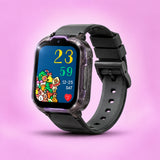
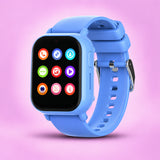
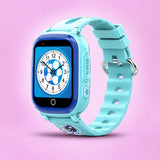

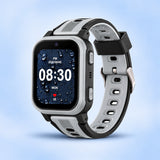





 Activate my SIM
 2-year warranty
 Contact
 My Account
Kids Smart Watch: All Our Guides
Kids smart watch: your complete guide
SIM cards, mobile plans, GPS tracking, recommended ages, and school rules: everything parents need to know before choosing a kids smart watch, explained simply and without sales talk.
5 guidesWritten for parentsUpdated September 2026
Start here

Kids smart watch with SIM card: plans and activation
Without a SIM card, a kids smart watch can’t make calls or be tracked outside Wi-Fi. Which SIM to choose, what it costs monthly, and how to activate it.
Mobile plans · 6 minAll guides

GPS watch for kids: how location tracking works
GPS, Wi-Fi and mobile networks: real-world accuracy in different situations, and what parents actually see.
6 min
What age is right for a kids smart watch?
Ages 5-8, 8-12, teens: which features are useful at each stage, and which to disable.
5 min
Kids smart watch at school: what the law says
The 2018 law, digital breaks, and what’s allowed in class and during recess.
5 min
4G, 2G or eSIM? Why 5G isn’t needed
A kids smart watch uses just a few dozen megabytes a month. Why 4G LTE is more than enough.
6 minFrequently asked questions
Does a kids smart watch need a SIM card?
Yes, if you want to call or track your child outside your home Wi-Fi. Without a SIM card, the watch is limited to time, games, and local features.
What age is best for a kids smart watch?
Around age 5 for a simple calling and tracking watch, with supervised use. The real milestone is age 10, when children start going out alone—calls, messages, and safety zones become truly useful.
Are kids smart watches allowed at school?
The 2018 law bans phones and electronic communication devices in schools. A kids smart watch counts as one if it can communicate: it must stay switched off during school hours, unless the school’s rules allow it.
Does a child need a 5G watch?
No. A kids smart watch uses just a few dozen megabytes a month—4G LTE is already more than enough. Nearly all reputable models use 4G, and “5G” is mostly a marketing term in this category.
Smart watches designed to reassure parents
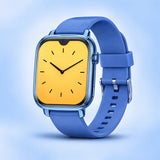
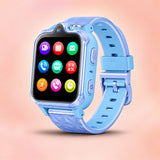
Calls, SMS, real-time GPS, SOS button and safety zones. No contract, 2-year warranty.
See the watches